How to read these lists
Community lists are for narrowing the field, not replacing comparison.
Most monitor research starts with a very broad question: which monitor should I buy? That question is too wide to answer well without knowing the desk, the PC or console, the room, the work style, the games, the expected viewing distance, and the country where the monitor will actually be purchased. Community Lists make the first step easier. Instead of forcing every visitor into one universal ranking, the page separates monitors by practical setup need. A high-refresh gaming buyer can begin with motion-focused models. A creator can begin with resolution, panel, and color-related signals. A home-office user can look for text clarity, ergonomic comfort, and useful desk features. A movie-focused buyer can look for contrast, HDR, panel type, and brightness cues.
The important part is that these lists stay connected to the same MonitorSuggest database used across the site. A card shown here is not a separate recommendation written in isolation. It can link back to the monitor detail page, comparison workflow, purpose scores, ratings, votes, affiliate-region handling, and good-for or not-good-for notes. That keeps the list useful when the database grows. If a new monitor is added later and its saved specs make it a better fit for a list, the shortlist can be updated without rebuilding the whole site by hand.
Signal 01Saved specsScreen size, panel type, resolution, refresh rate, response time, brightness, HDR notes, USB-C, KVM, ergonomics, and other stored fields provide the first filter.
Signal 02Purpose scoresGaming, esports, creator, office, media, and value signals help separate monitors by the way a visitor plans to use them.
Signal 03Community feedbackRatings, votes, requests, and after-sales submissions add lightweight context that pure specification sheets usually miss.
Signal 04Region contextCountry-aware store handling keeps affiliate buttons aligned with the active visitor region where supported, with US as the fallback store region.
Why list pages help users make better monitor decisions
A monitor can look excellent on a product page and still be a poor fit for a specific desk. A 32-inch 4K monitor can be wonderful for documents and creator work, but it may not be the first pick for a competitive player who wants very high frame rates and less head movement. A 27-inch high-refresh OLED can be superb for gaming and motion clarity, but a buyer who writes text all day may want to check text rendering, burn-in policy, brightness behavior, and warranty terms more carefully. A basic IPS office monitor can be perfect for email, spreadsheets, and study, yet not exciting for HDR movies. Community Lists keep those differences visible.
The page also avoids a common mistake: treating one number as the whole story. Refresh rate matters, but it does not automatically make a monitor good for editing. Resolution matters, but it does not automatically mean the panel is suitable for esports. OLED contrast can be impressive, but it does not remove the need to check brightness behavior, subpixel layout, warranty coverage, and static-desktop usage. VA contrast can be strong, but some VA monitors have slower dark transitions. IPS can be reliable for everyday work, but black levels may not satisfy movie-focused users. A useful list should make the shortlist smaller while still encouraging verification.
| List type |
Best starting signals |
Check before choosing |
| High-refresh gaming | 144Hz or higher refresh rate, low response-time signal, strong gaming score, good motion clarity notes. | Exact panel behavior, adaptive sync support, console or PC frame-rate target, and whether the size fits your desk. |
| Creator clarity | Higher resolution, strong creator score, color-gamut notes, brightness, and panel consistency. | Factory calibration claims, actual color workflow needs, USB-C docking needs, and whether text scaling feels comfortable. |
| Home-office USB-C | Office score, text clarity, stand ergonomics, KVM, USB-C power delivery, and practical desk comfort. | Laptop charging wattage, port layout, warranty terms, return window, and whether the monitor supports your notebook setup. |
| Movies and HDR | Panel contrast, OLED or Mini-LED signals, HDR certification notes, brightness, and media score. | Local dimming quality, room brightness, viewing distance, content type, and whether HDR claims are meaningful for the model. |
How MonitorSuggest keeps list logic practical
The goal is not to crown a permanent winner. The goal is to reduce research friction. A visitor should be able to look at a shortlist and understand why a monitor is present. If the gaming list includes a monitor, there should be a clear motion or gaming reason. If the creator list includes a model, it should have resolution, panel, color, brightness, or creator-score reasons. If the office list includes a model, it should make sense for long sessions, text clarity, docking, desk comfort, or workspace organization. If the media list includes a model, it should have contrast, HDR, brightness, OLED, Mini-LED, or cinematic-use signals.
This also makes the page easier to maintain as more monitors are added. The backend can store specifications once, then reuse them in the monitor archive, single monitor pages, comparison tables, trending sections, brand pages, and these community lists. That is better than writing disconnected one-off recommendations that become outdated quickly. When a monitor's saved fields are corrected, its list placement can be reviewed from the same source of truth.
How community input improves these lists
Community input does not replace careful editorial review, but it can reveal what visitors actually need. If many visitors support a list for work-from-home USB-C monitors, that is a signal that the topic deserves more attention. If users request a list for 27-inch 1440p gaming monitors, ultrawide productivity monitors, OLED alternatives, or MacBook-friendly displays, those topics can be added to the editorial queue. Votes also help identify which shortlists need better explanations, more monitor coverage, or clearer comparison paths.
When community feedback involves product quality, after-sales support, warranty experience, or service-center behavior, it should be handled carefully. One complaint should not become an official brand ranking by itself. Proof-backed submissions and repeated patterns are more useful than isolated comments. That is why MonitorSuggest separates community signals from manufacturer claims, seller pages, and editorial notes. The site can show useful buyer context without pretending that every user submission is a lab result.
Country-aware lists and store-region behavior
Monitor research is not the same in every country. The model name may look similar, but store pages, bundled cables, warranty coverage, seller identity, return policy, and stock status can differ. Community Lists work best when they lead users to monitor pages that respect the selected region. If a visitor is in India, the store buttons should prefer India where that link exists. If a visitor is in the United States, United Kingdom, or Canada, the page should use the matching country store where supported. If the visitor is outside the supported store countries, the site should fall back to the US store region rather than mixing countries.
Even with region-aware behavior, the final product page must be checked before purchase. The note below the site is intentionally repeated site-wide because it is a core trust point: specifications, warranty terms, and availability can vary by region and seller. A good list gets the buyer closer to the right shortlist, but the buyer still needs to verify the exact model number and seller page.
Practical rule: use a Community List to choose candidates, use the monitor page to understand fit, use Compare to separate close options, and use the final store page only after checking exact model and regional terms.
What should not be inferred from a list
A Community List should not be read as a claim that every monitor in it is perfect. It should also not be read as a lab award, official certification, or paid placement. A model can appear because the saved data shows useful signals for a specific purpose. It may still have weaknesses. A gaming monitor can have weak creator scores. A productivity monitor can be limited for esports. A media-friendly panel can be less ideal for static office work. A strong score can still require checking country-specific warranty terms.
This separation is important for readers and for long-term site quality. Helpful content should explain context, not only repeat keywords. MonitorSuggest should remain clear about what it knows, what it stores, and what the user should verify. That makes the page more useful for buyers and more trustworthy for search engines.
Final advice before using any shortlist
Start with your main use case, not the most popular monitor name. If you mainly play competitive games, begin with high-refresh and response-time signals. If you write, code, or study for long sessions, begin with clarity, stand comfort, and desk setup. If you edit photos or video, begin with resolution, panel behavior, color-related notes, and workflow needs. If you watch movies, begin with contrast, brightness, HDR notes, and room conditions. Then compare two candidates side by side. The best monitor is usually the one that fits your desk and work pattern with the fewest compromises, not the one that wins the most isolated specification rows.

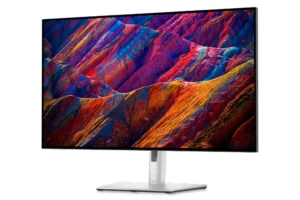
 9.2 score
 9.1 score
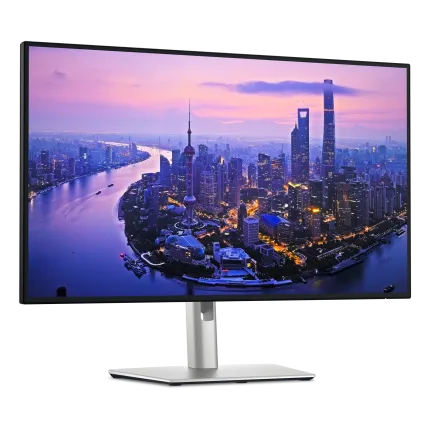
 9.1 score
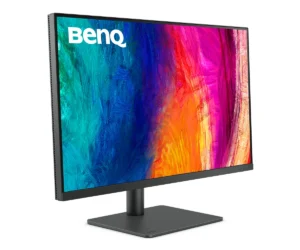
 9.2 score