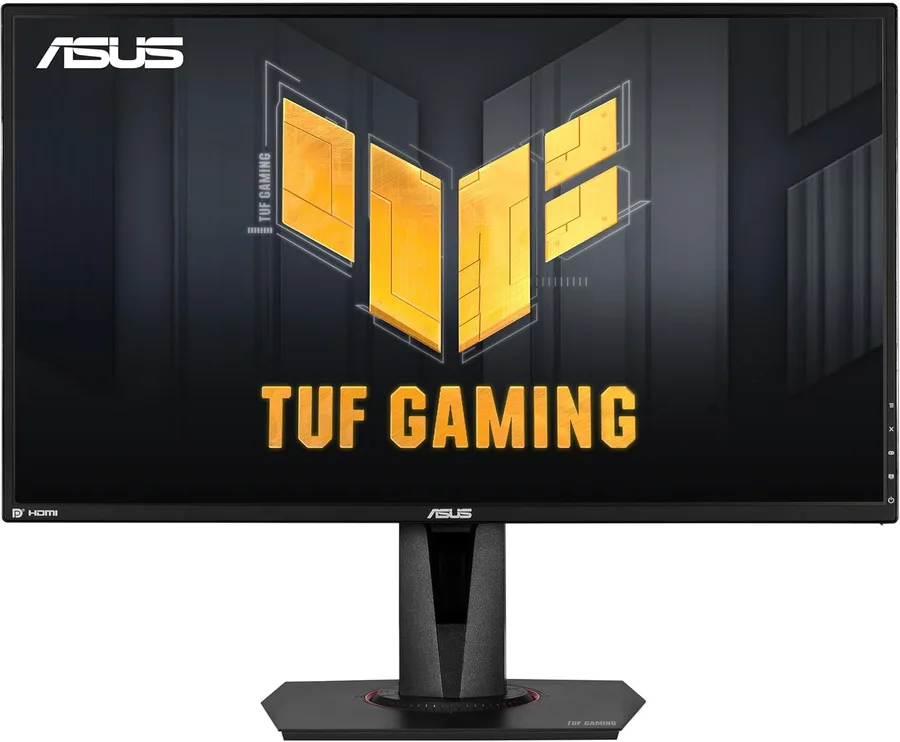
ASUS TUF Gaming VG27AQ
ASUS monitor guide

ASUS TUF Gaming VG27AQ

A complete specification-based buying guide with live star rating, like/dislike votes, purpose scoring, feature table, country-aware price, affiliate link, and FAQ.

★★★★★★★★★★4.0overall rating0 votes
User votes 0.0Service 0.0Quality 4.1Features 3.8
Rate it: No ratings yet
Country: United States. Votes help build country-wise monitor and brand insights.
MRIMonitor Reputation IndexEarly signal: 52/100low data
high-refresh gamingcompetitive esports

Affiliate disclosure: MonitorSuggest may earn from qualifying purchases from Amazon.

Size27 inch
Resolution2560 x 1440 (QHD)
Refresh165Hz
PanelIPS
Response1ms
Brightness350 nits
USB-CNot listed
HDRHDR10

Purpose Scores

Gaming
8.5
Esports
8.0
Creator Work
7.2
Office/Productivity
7.6
Movies/HDR
7.2
Value
8.8

Best For

  • High-refresh gaming
  • Competitive esports

Not Ideal For

  • Buyers expecting OLED-level black depth
  • Single-cable USB-C laptop users

Full Feature Table

BrandASUS
ModelVG27AQ
Screen Size27 inch
Resolution2560 x 1440 (QHD)
Panel TypeIPS
Refresh Rate165Hz
Response Time1ms
Brightness350 nits
HDRHDR10
Color Gamut99% sRGB
Adaptive SyncNVIDIA G-SYNC Compatible, Adaptive-Sync, ELMB Sync
ConnectivityDisplayPort 1.2, 2x HDMI 2.0, headphone jack
USB-C PowerNo
KVMNot listed
Aspect Ratio16:9
CurvatureFlat
Contrast1000:1
ErgonomicsHeight, tilt, swivel, pivot
Speakers2x 2W
VESA100x100
Release Year2019
Country storeAmazon
Current price display$249
Affiliate linkOpen store link

ASUS TUF Gaming VG27AQ Review and Buying Guide

The ASUS TUF Gaming VG27AQ is best understood as a monitor built around a specific balance of panel technology, resolution, speed, desk usability, and regional value. Instead of treating every display as if it serves the same buyer, this guide reads the actual stored specifications for this model and turns them into a practical buying recommendation. The current data points show 27 inch, 2560 x 1440 (QHD) resolution, IPS panel technology, and 165Hz refresh rate. That combination tells us where the monitor is naturally strong, where it may need a closer look, and which buyer should shortlist it.

For most people, the first question is not whether the monitor is technically impressive. The real question is whether it matches the work or entertainment setup they are building. A high-refresh gaming desk, a creator workstation, a USB-C laptop dock, and an office productivity station all stress different parts of the spec sheet. On this model, the automatic purpose analysis currently rates gaming at 8.5/10, esports at 8.0/10, creator work at 7.2/10, office productivity at 7.6/10, movies and HDR at 7.2/10, and overall value at 8.8/10. Those scores are built from refresh rate, response time, resolution, panel type, brightness, USB-C support, and feature completeness.

Display Quality and Everyday Clarity

The display experience starts with resolution and panel type. A 2560 x 1440 (QHD) screen changes how much workspace you get, how sharp text appears, and how hard your graphics card has to work in games. Because this model uses a more performance-friendly resolution, it can be easier to drive at high frame rates. That matters for users who do not want to overspend on GPU power just to get smooth gameplay.

Panel technology affects the personality of the monitor. The listed IPS panel points toward a practical daily-use monitor. The exact experience will depend on calibration and manufacturer tuning, but the panel category gives a useful signal for viewing angles, contrast, and motion behavior.

Gaming, Motion, and Responsiveness

Refresh rate and response time decide how responsive the monitor feels in motion. The ASUS TUF Gaming VG27AQ is listed at 165Hz with a 1ms response time. That makes it a strong modern gaming option for most players, especially compared with standard 60Hz office displays.

Adaptive sync also matters because it helps reduce tearing and uneven frame pacing when the graphics card output changes during gameplay. This model lists NVIDIA G-SYNC Compatible, Adaptive-Sync, ELMB Sync. If you already know whether your system uses NVIDIA, AMD, or a console, this line is worth checking before purchase. The smoother the monitor can match your hardware, the more consistent the experience feels in real use.

Productivity, Creator Work, and Desk Setup

For work, the monitor should make the desk easier to use, not just look impressive on a product page. Screen size, resolution, ergonomics, USB-C, KVM, and connectivity are the big factors. This model lists DisplayPort 1.2, 2x HDMI 2.0, headphone jack. USB-C power delivery is not clearly listed, so laptop users should not assume a single-cable setup unless the store page confirms it. Ergonomics are listed as Height, tilt, swivel, pivot, and VESA support is listed as 100x100.

Creator suitability depends on resolution, size, color gamut, panel behavior, and brightness. This model lists 99% sRGB and 350 nits of brightness. If your work involves color-critical delivery, you should still verify independent color measurements, but the stored specs are enough to determine whether the monitor belongs in a creator shortlist. For office users, the bigger question is comfort over many hours: sharp text, low eye strain, enough ports, and a stand that fits your desk.

HDR, Movies, and Entertainment

HDR is one of the most misunderstood monitor features because a label alone does not guarantee a dramatic image. The ASUS TUF Gaming VG27AQ lists HDR10. That means buyers should treat HDR as a secondary feature unless the current listing gives stronger brightness and local-dimming details. For many users, SDR quality, resolution, and motion will matter more.

Pros, Cons, and Buying Verdict

The clearest strengths are: 165Hz motion is smooth for gaming and scrolling Specifications and rating information are organized from the saved monitor data. These are the reasons the model deserves attention. The main caution points are: No OLED-style per-pixel contrast USB-C charging is not listed Regional price and stock can change. This is why the monitor should be matched carefully against your use case rather than bought only because the headline specs look strong.

Overall, the ASUS TUF Gaming VG27AQ makes the most sense for buyers focused on high-refresh gaming, competitive esports. The public score is 4.0/5 based on the available community ratings, votes, service signals, and saved specification data. The page currently has 0 star ratings and 0 like/dislike votes. The final buying decision should come down to current country price, warranty comfort, and whether the listed features match your hardware. Use the affiliate link on this page to open the correct regional store, then confirm the exact SKU, return policy, and included cables before purchase.
Pros

  • 165Hz motion is smooth for gaming and scrolling
  • Specifications and rating information are organized from the saved monitor data.

Cons

  • No OLED-style per-pixel contrast
  • USB-C charging is not listed
  • Regional price and stock can change.
Community review

Share your monitor experience

Your review helps other buyers understand real ownership signals by country. Reviews are moderated before public display.

By submitting, you agree that MonitorSuggest may moderate and display your feedback without showing personal information.

Recent approved community reviews

No approved community reviews yet. Be the first to share a helpful experience.

Frequently Asked Questions

Is the ASUS TUF Gaming VG27AQ good for gaming?

Yes. The 165Hz refresh rate and 1ms response time make it a strong gaming pick.

Is it good for office work?

Its office score is 7.6/10, based on resolution, screen size, connectivity, and desk-friendly features.

Is it good for creators?

The creator score is 7.2/10. Resolution, panel type, brightness, and color gamut are the main factors.

Does it support USB-C?

USB-C power delivery is not listed, so laptop users should verify the store listing.

How is the star rating calculated?

The star rating blends user votes, after-sales service signals, monitor quality, and feature strength.

Where does the buy button link go?

The price or buy button uses the selected country store when affiliate/store data is available. If no store link is saved, check the latest price from an authorized retailer before buying.

What should I check before buying?

Confirm the exact model number, warranty, return policy, included cables, and current regional price.

Alternatives

Alternative monitors to consider

These suggestions are based on saved specifications such as panel type, resolution, screen size, price, and site score. Always verify the latest model details before buying.

Similar option

Samsung Odyssey G5 G51F 27-inch

This monitor shares some saved specification signals with the current model, such as panel, size, or resolution.

Budget option

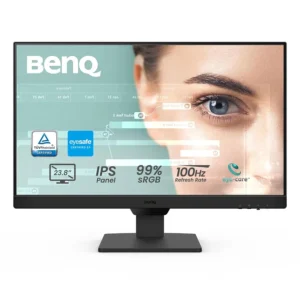
BenQ GW2490

This may be a lower-price alternative when the saved price data is available and current store pricing still matches.

Premium option

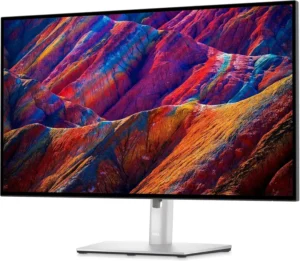
Dell UltraSharp U2723QE

This may be worth checking if you want a higher-scoring or more feature-rich option based on saved monitor data.

Similar Monitors

Dell UltraSharp U2723QE 27-inch 4K IPS Black USB-C hub monitor 8.7 score
★★★★★★★★★★ 3.9 0 votes
MRIMonitor Reputation IndexEarly signal: 52/100low data

Dell UltraSharp U2723QE

27" IPS Black 60Hz 3840 x 2160 (4K UHD)
Votes 0.0 Service 0.0 Quality 4.4 Features 3.4
$549
ASUS ProArt Display PA278CV 27-inch QHD IPS USB-C creator monitor 8.3 score
★★★★★★★★★★ 3.6 0 votes
MRIMonitor Reputation IndexEarly signal: 49/100low data

ASUS ProArt Display PA278CV

27" IPS 75Hz 2560 x 1440 (QHD)
Votes 0.0 Service 0.0 Quality 4.2 Features 3.0
$299
BenQ GW2490 24-inch FHD IPS 100Hz office monitor 7.5 score
★★★★★★★★★★ 3.3 0 votes
MRIMonitor Reputation IndexEarly signal: 46/100low data

BenQ GW2490

23" IPS 100Hz 1920 x 1080 (FHD)
Votes 0.0 Service 0.0 Quality 3.8 Features 2.8
$129
Dell 27 Plus 4K S2725QS 27-inch 4K IPS monitor 8.1 score
★★★★★★★★★★ 3.6 0 votes
MRIMonitor Reputation IndexEarly signal: 49/100low data

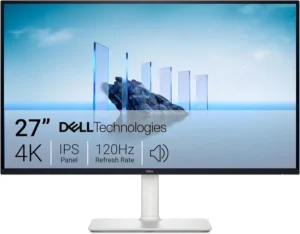
Dell 27 Plus 4K S2725QS

27" IPS 120Hz 3840 x 2160 (4K UHD)
Votes 0.0 Service 0.0 Quality 4.1 Features 3.2
$349
Join Our Community

Join 50,000+ Monitor Enthusiasts Worldwide

Get expert monitor comparisons, exclusive deals, and personalised recommendations delivered straight to your inbox.

✓ No spam, ever ✓ Expert insights ✓ Unsubscribe anytime
Important Note
1

Monitor specifications, prices, warranty terms, and availability may vary by region and seller. Always verify the latest product details before making a purchase.

2

MonitorSuggest organizes monitor information by use case, listed specifications, community ratings, country signals, Brand Trust Score, and Monitor Reputation Index (MRI). We do not claim hands-on or lab testing unless clearly stated on a specific review page.

Daily update windowWebsite data refreshes every 24 hours.

Scheduled update time: 8:00 PM IST / your local time. Monitor data, ratings, store links, and request queues may update after this daily sync.