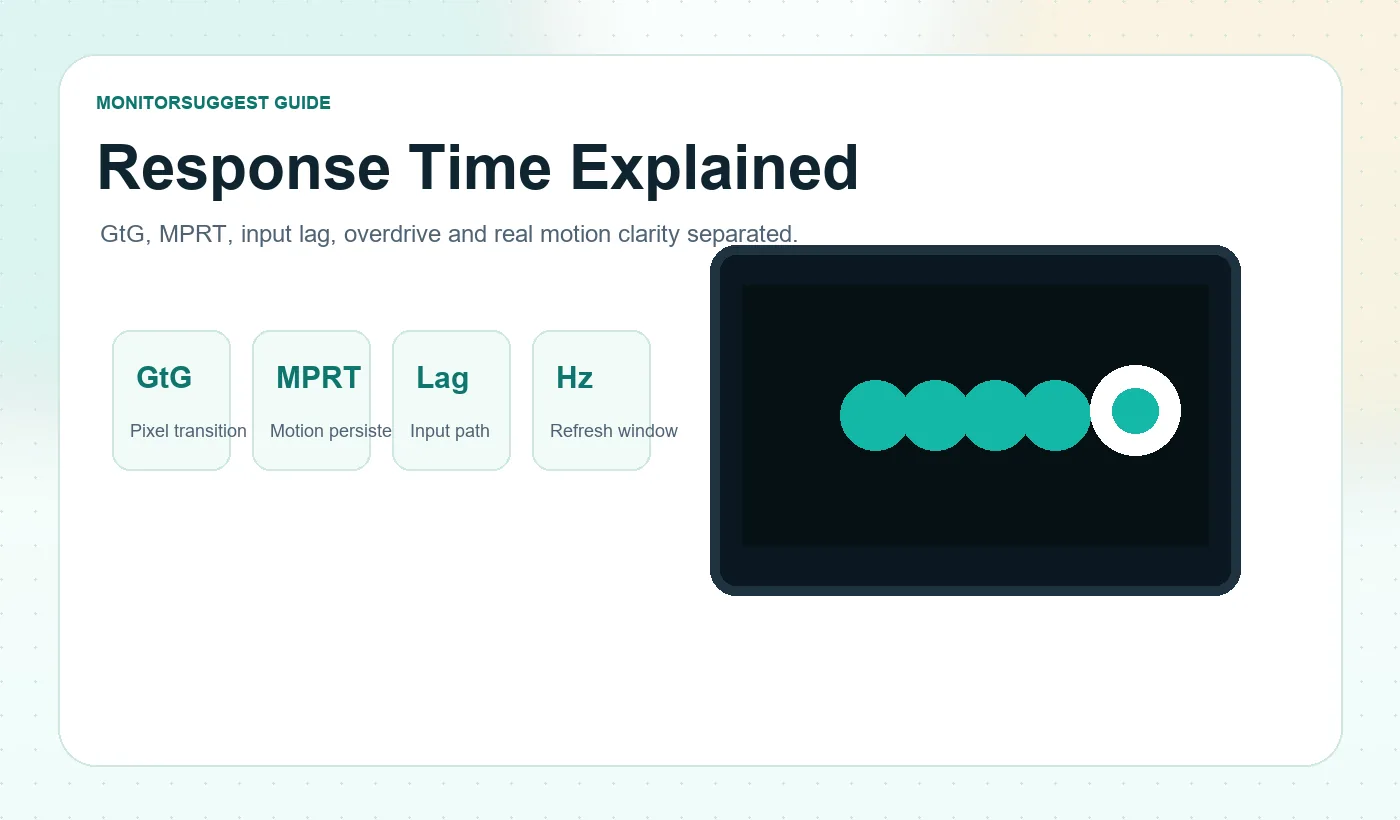
Reader promise: this guide does not treat a 1ms badge as proof that a monitor is universally fast. It separates manufacturer specifications from motion concepts, explains where marketing numbers are useful, and shows what to check before trusting them.
Table of contents
Quick answer: what should you check instead of 1ms?
A single response-time number is a starting clue, not a complete motion report. For gaming, the safer approach is to judge five things together: transition speed, transition consistency, overshoot, behavior across the refresh-rate range, and the motion clarity you actually see. This is why two monitors can print the same response-time badge yet look very different in dark games, fast camera pans, or esports tracking.
The MonitorSuggest 5-point motion check is simple: ask how the number was measured, whether many transitions were tested, whether aggressive overdrive created halos, whether the monitor stays clean when refresh rate changes, and whether the final moving image looks readable. That framework is more useful than asking only whether a monitor is 1ms.
| What to check | Why it matters |
|---|---|
| Transition speed | Slow pixels leave trails behind moving objects. |
| Transition consistency | One fast transition can hide slower dark or bright transitions. |
| Overshoot | Aggressive overdrive can create bright or colored inverse-ghosting halos. |
| VRR and refresh-range behavior | A mode that is clean at 240Hz may behave differently at 90Hz. |
| Effective motion clarity | Pixel response, persistence and refresh rate all contribute to what your eyes see. |
Practical takeaway: do not ask only “is this monitor 1ms?” Ask “how was that number measured, how consistent are the other transitions, and what artifacts appear at the setting that produced it?”
Why two 1ms gaming monitors can look completely different
You are comparing two gaming monitors. Both product pages shout 1ms. One looks clean when you pan across a dark map. The other leaves a muddy trail behind enemies and sometimes adds a bright halo around moving edges. If both are 1ms, why do they behave so differently?
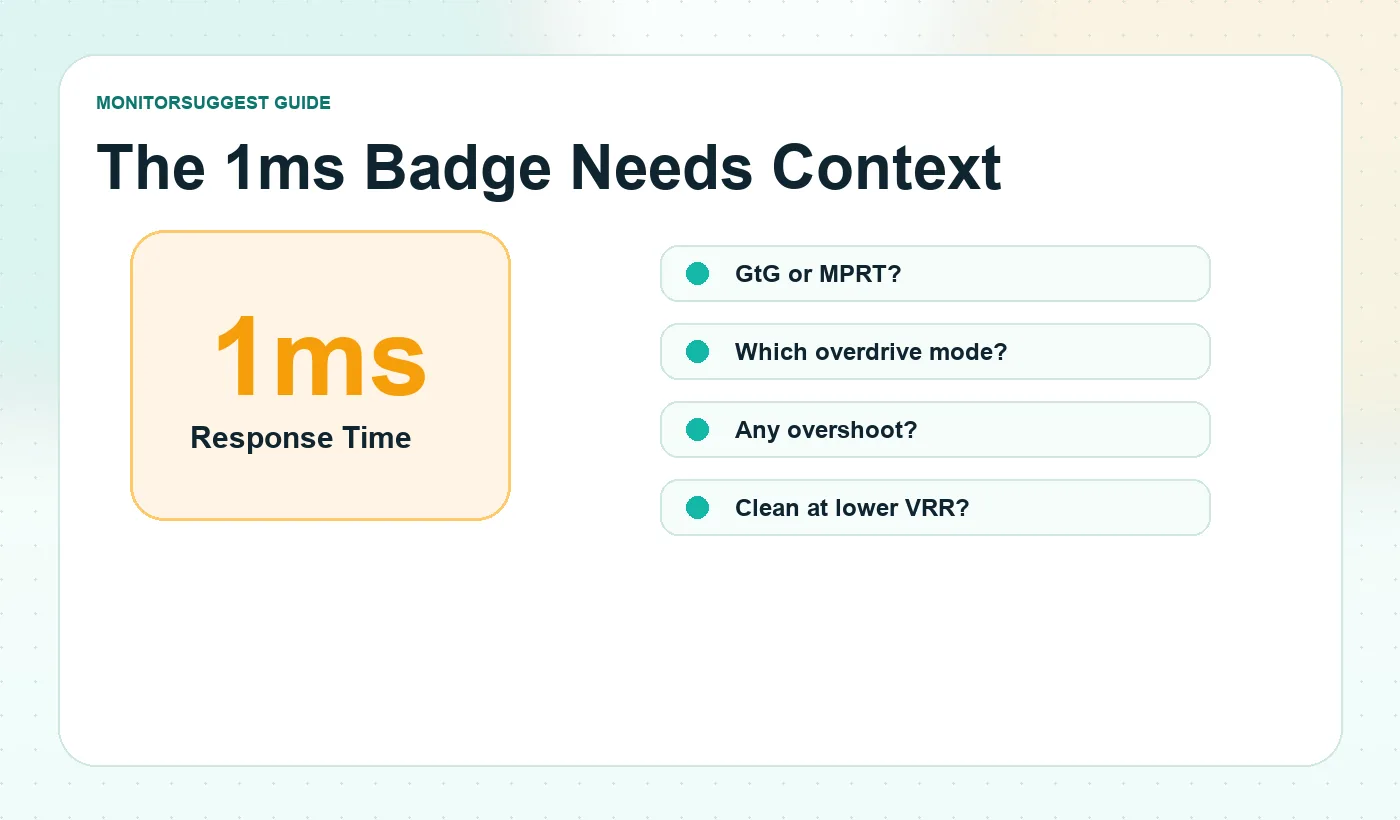
Because 1ms answers a much smaller question than most buyers assume. The label can refer to GtG or MPRT. It may require a particular overdrive setting. It may describe a best-case transition rather than a broad transition range. It says nothing by itself about input lag, overshoot, persistence blur, or whether the monitor behaves cleanly when variable refresh rate moves it away from maximum Hz.
There are real-world product pages that make this problem easy to understand. A monitor can list one number for MPRT and a different number for GtG because those metrics are measuring different parts of motion performance. The issue is not that every manufacturer claim is automatically false. The issue is that the buyer needs the measurement context before the number becomes meaningful.
What monitor response time actually measures
At the pixel level, response time describes how quickly the display changes a pixel from one state to another after the image signal asks for a new value. On an LCD, that involves changing the optical state of liquid crystals. On an OLED, individual light-emitting pixels can change output much more directly.
If a transition takes too long, remnants of the previous frame can remain visible while the object has already moved. That is why slow transitions can show up as ghosting, smearing, or trailing. But speed alone is not enough. Driving an LCD pixel too aggressively can push it past the intended target, creating overshoot and inverse ghosting.
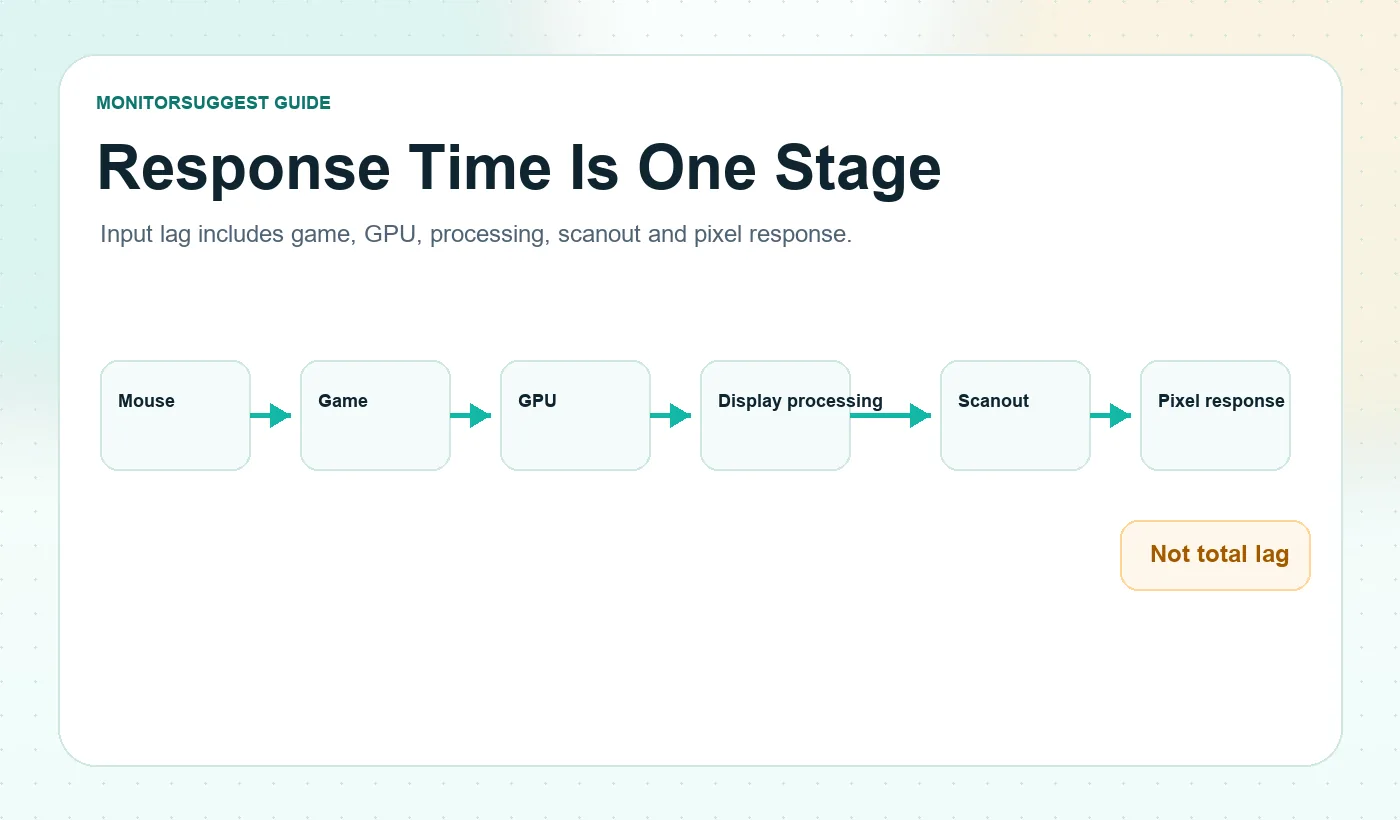
It also helps to separate response time from total system latency. Pixel response happens near the end of the chain. Before a pixel changes, the input has already passed through the game, CPU, GPU, presentation queue, display processing, and scanout. That is why response time and input lag should be read as separate measurements, not two names for the same thing.
A monitor does not have one universal response time
Real content asks pixels to make many different transitions. A dark wall moving into a gray shadow is not the same transition as a bright sky replacing a mid-tone object. A panel may handle one change quickly and another much more slowly. This is why a best-case response figure can be technically real but still incomplete.
Good motion analysis looks across many transitions and pays special attention to slow outliers and the errors created by overdrive. The table below is illustrative, not a measurement from a specific product. Its purpose is to show why one minimum number cannot describe every pixel transition on a panel.
| Illustrative transition | Example time | Why one number can mislead |
|---|---|---|
| Near-black to dark gray | 7.0ms | A slow dark transition may create visible smearing. |
| Mid gray to light gray | 2.6ms | A faster transition can pull down an average. |
| Light gray to white | 1.1ms | A manufacturer may legitimately highlight a best-case result. |
| White to mid gray | 3.4ms | Real content uses many directions, not one transition. |
GtG response time: what Gray-to-Gray actually tells you
GtG stands for Gray-to-Gray. It describes how long a pixel takes to move between luminance states. The idea is useful because display content constantly moves through different brightness levels, not simply black and white. If a manufacturer or reviewer clearly labels a response-time result as GtG, that is already more useful than a vague 1ms badge with no method attached.
The catch is that Gray-to-Gray is not one single transition. A panel may move quickly from a middle gray to white but much more slowly from near-black to dark gray. That difference is especially important on displays where dark transitions are the weak point. It is one reason some VA monitors can look excellent in static contrast but smear during dark motion.
Does 1ms GtG mean the claim is fake?
No. It means you need the test context. A manufacturer can measure a genuine 1ms-class transition under defined conditions. The useful questions are which overdrive mode was used, which transitions were measured, what tolerance defined completion, what refresh rate was active, and whether the resulting image showed overshoot.
A practical example is a monitor that advertises 1ms GtG only in its most aggressive response mode. If that mode creates visible inverse ghosting, the best real setting may be slower on paper but cleaner in motion. The goal is not to dismiss the spec; the goal is to understand the trade-off behind it.
MPRT: a different measurement hiding behind the same ms unit
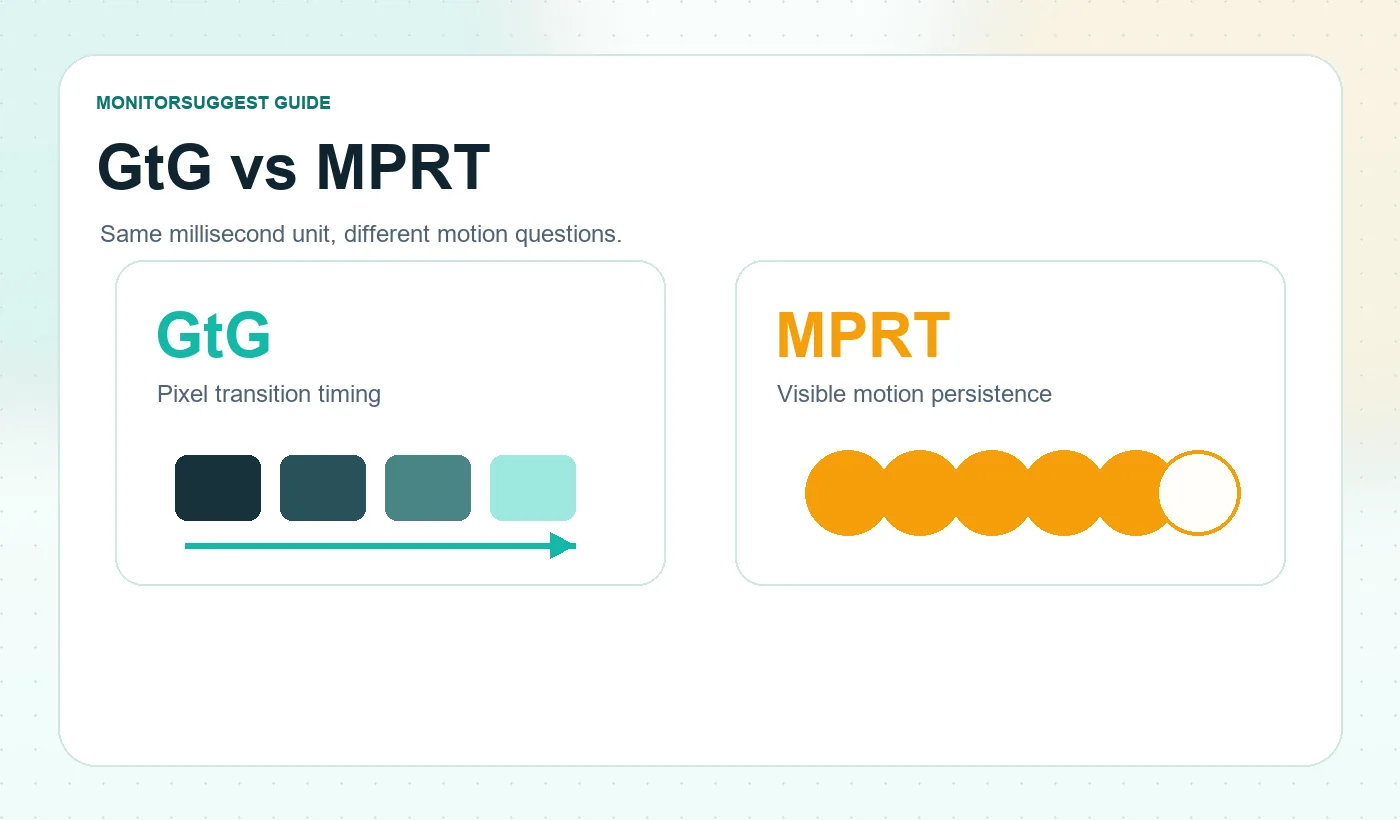
MPRT stands for Moving Picture Response Time. Although it is also written in milliseconds, it is not simply another label for GtG. It is much more closely tied to motion persistence: how long a moving image sample remains visibly present while your eyes track it.
This is why motion-blur-reduction techniques can strongly influence MPRT-style figures. Backlight strobing, black-frame insertion, and similar methods can reduce visible persistence without making every underlying pixel transition equal to the advertised number. A 1ms MPRT claim is therefore not the same as saying every pixel completes every GtG transition in 1ms.
How can a monitor be 1ms MPRT and 4ms GtG?
Because the two figures answer different questions. A monitor can use a blur-reduction mode to achieve a low MPRT-style result while its physical LCD transitions remain slower across the full GtG range. Nothing has to be wrong with either number. The problem begins when a buyer assumes that 1ms MPRT means every GtG pixel transition takes one millisecond.
Why VESA created ClearMR instead of relying on MPRT alone
VESA’s ClearMR standard is useful because it formalizes a problem buyers have felt for years: a purely time-based motion-blur number can miss important image-quality side effects. VESA describes Clear Motion Ratio as a ratio of clear pixels to blurry pixels and positions it as a replacement for MPRT-style blur characterization in its certification program.
The important buyer-friendly point is that ClearMR does not let a display simply trade obvious artifacts for a prettier motion number. ClearMR testing constrains overshoot and undershoot and does not allow backlight strobing to mask motion behavior for certification. That makes it a helpful sign when available, though it still does not replace a complete review.
Response time vs input lag: the 1ms misconception
If a monitor says 1ms response time, that does not mean your mouse click appears on screen one millisecond later. GtG sits at the pixel-transition stage. Before that transition happens, the input has already passed through the game engine, render queue, GPU output, display processing, and scanout.
This distinction matters because a monitor can have excellent pixel response but still participate in a slower end-to-end chain. Conversely, a monitor with a slightly slower GtG measurement can still feel responsive if processing latency is low and transitions are clean. When a review publishes response time and input lag as separate measurements, that is not redundant. It is exactly what you want.
| Metric | What it mainly describes | What it does not prove |
|---|---|---|
| GtG | Pixel transition timing between luminance states | Total input latency or universal motion clarity |
| MPRT | Motion persistence and visible duration behavior | That every physical pixel transition is equally fast |
| Input lag | Delay associated with presenting an incoming signal | Pixel transition quality or lack of overshoot |
| ClearMR | Standardized clear-to-blurry-pixel motion ratio | A complete replacement for all review measurements |
Ghosting, inverse ghosting and black smearing
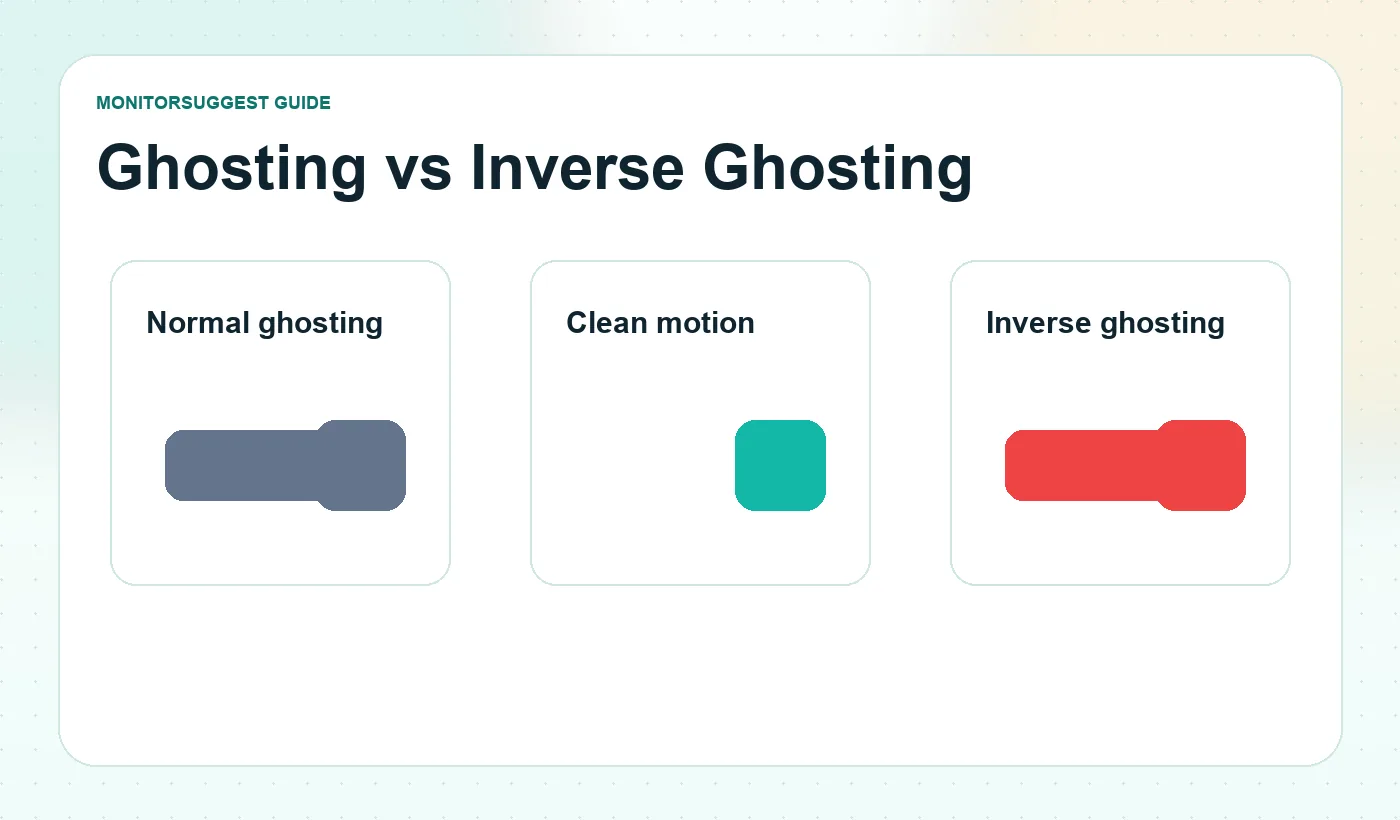
The easiest way to understand response-time quality is to stop thinking about numbers for a moment and watch what follows a moving object. Normal ghosting appears when pixels change too slowly. A moving object leaves a fading trail because parts of the previous image state are still visible while the object has moved on.
Inverse ghosting appears when overdrive is too aggressive. Instead of lagging behind the target, the pixel shoots past the intended value and then settles back. The visible result can be a bright, dark, or oddly colored halo around moving edges. This is why the fastest overdrive setting is not always the best setting.
Black smearing is usually associated with slow dark transitions. It is often discussed with VA LCDs because some VA implementations can be much slower when moving out of near-black levels than when handling brighter transitions. In dark games, shadow detail can appear to stretch or smear during camera movement. That does not mean every VA monitor is bad for gaming; modern panel tuning varies significantly.
Overdrive: why the fastest OSD setting is often not the best one
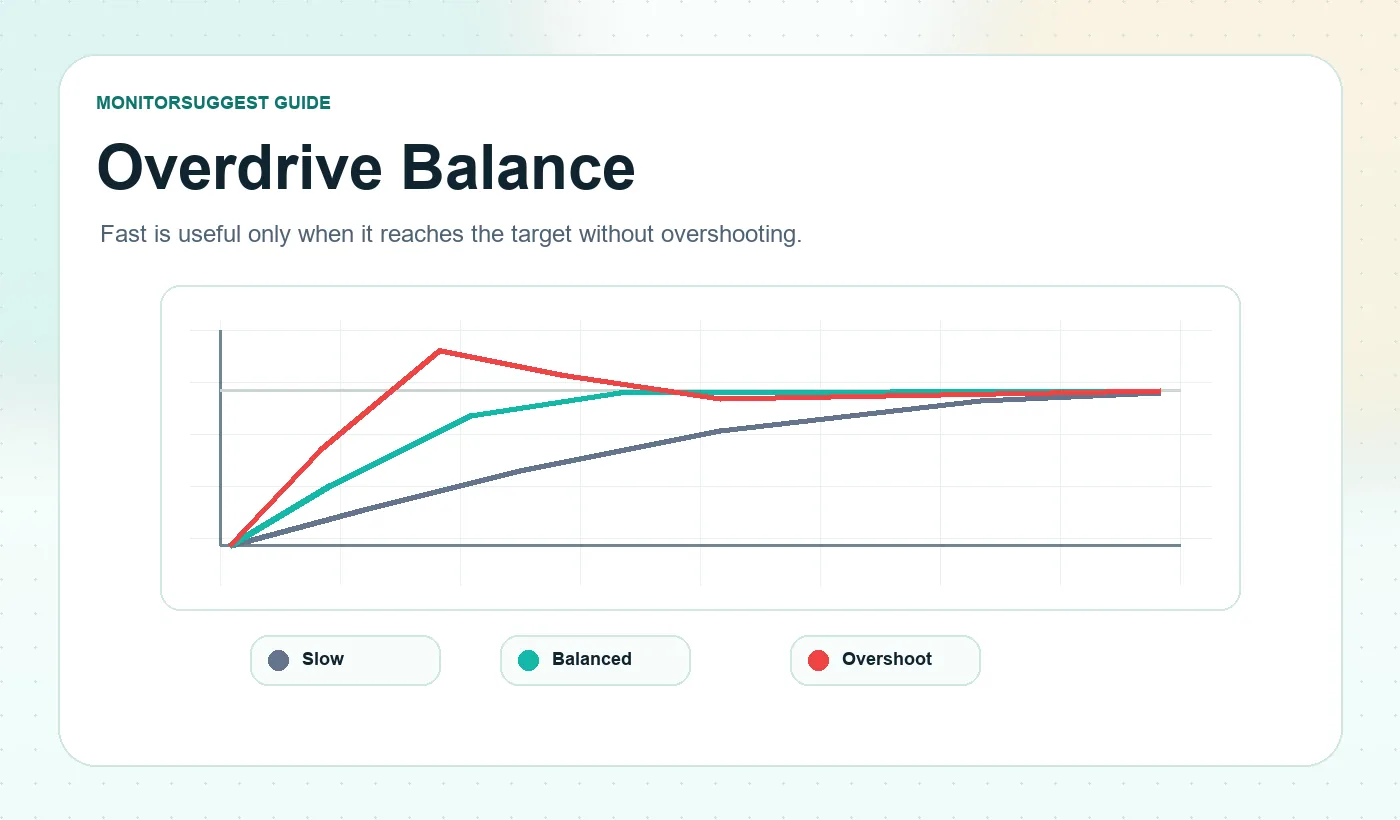
LCD overdrive deliberately drives a pixel harder so it reaches its new value sooner. Used well, it reduces trailing. Used badly, it creates overshoot. That means an “Extreme” setting can produce a faster stopwatch result while looking worse to the eye.
The best overdrive mode is usually the one that balances transition speed and error. If a review recommends “Fast” rather than “Extreme,” that is not a compromise. It often means the moderate mode gives a cleaner visual result. For many buyers, low overshoot is more important than shaving a small number from an already acceptable response average.
Variable overdrive and VRR
Variable refresh rate complicates tuning. A setting that is ideal at 240Hz may be too aggressive at 90Hz because the timing conditions change. This is why dynamic or variable overdrive can be valuable: the monitor adjusts drive strength as frame rate and refresh rate move through the VRR range.
If you use VRR heavily, do not judge a monitor only at maximum refresh rate. Check whether motion remains clean in the range your games actually use. A high-refresh monitor that looks good only at its ceiling may feel less consistent in real gameplay than a slightly slower monitor with better tuning.
How refresh rate changes the response-time problem
Refresh rate and response time are related, but they are not interchangeable. Refresh rate tells you how often the display can begin a new refresh. Response time describes how quickly pixels move toward the values needed for that refresh.
| Refresh rate | Time between refreshes | What changes for pixel response |
|---|---|---|
| 60Hz | 16.67ms | Large refresh window; poor transitions can still be visible. |
| 120Hz | 8.33ms | Faster motion increases the value of cleaner transitions. |
| 144Hz | 6.94ms | A common gaming range where slow outliers become obvious. |
| 240Hz | 4.17ms | Transition consistency matters much more. |
| 360Hz | 2.78ms | LCD tuning becomes demanding; slow transitions can miss much of the refresh window. |
| 480Hz | 2.08ms | Extremely fast transitions are needed to exploit the headline refresh rate cleanly. |
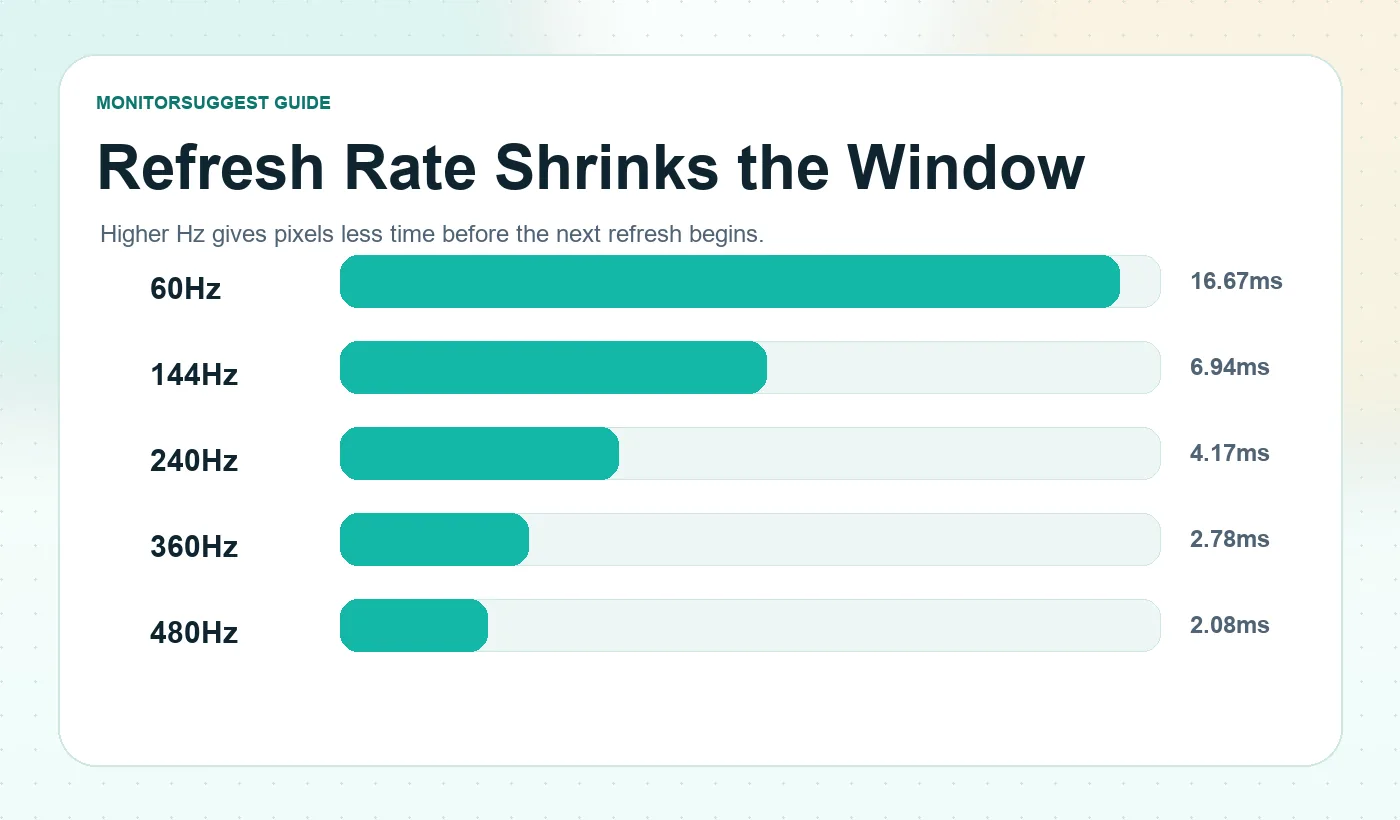
A common shortcut is to say that response time simply needs to be lower than the frame interval. That is too crude. A panel has many transitions, they do not all finish together, and an aggressively driven transition can reach a target quickly while overshooting it. The quality of the entire transition behavior matters more than one comparison between two numbers.
OLED response time: why 0.03ms still does not mean zero blur
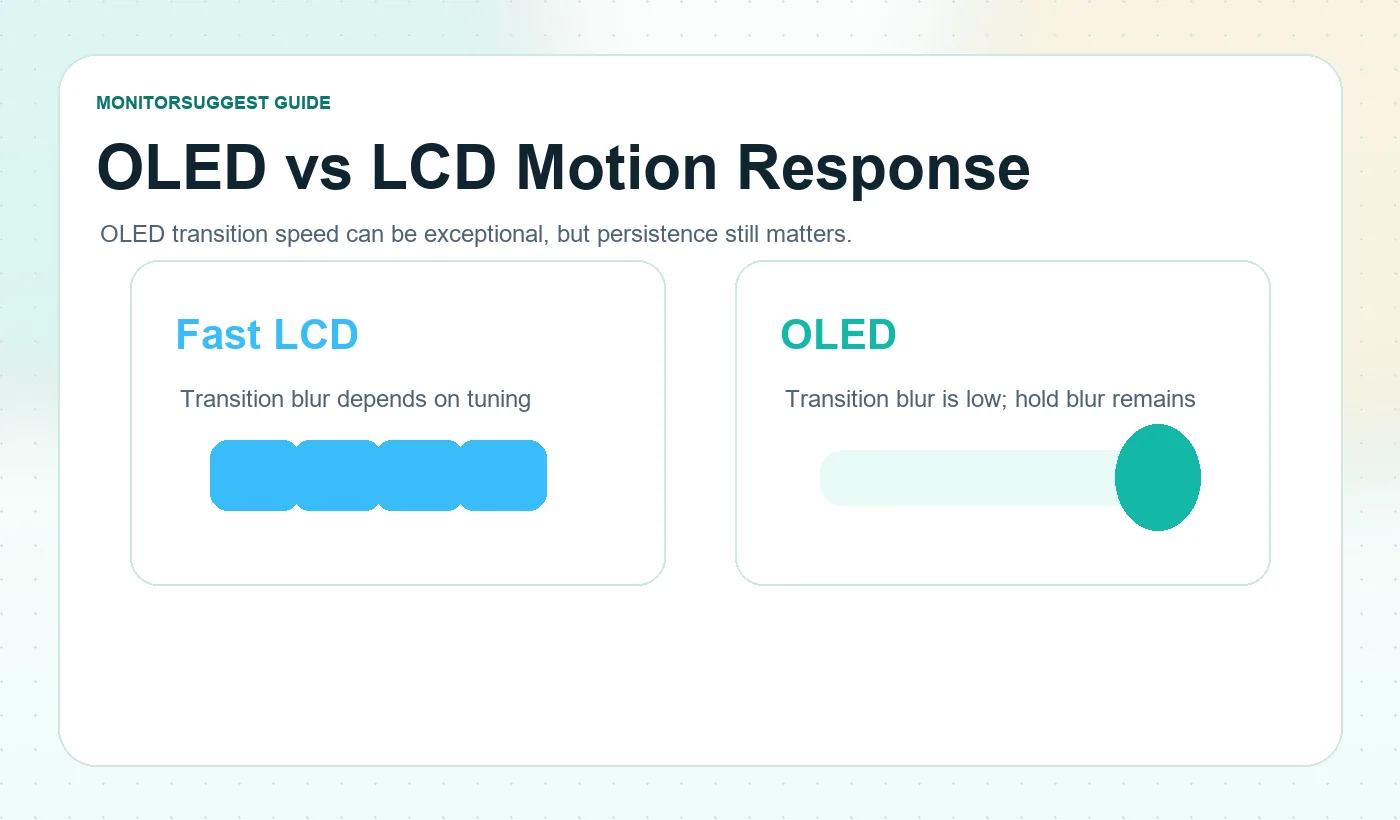
Modern OLED monitors make the contrast with LCD especially clear. OLED pixels can change state extremely quickly because they do not depend on the same liquid-crystal mechanism as LCDs. This dramatically reduces pixel-transition blur and makes OLED especially well suited to very high refresh rates.
But a fast pixel can still display a frame for several milliseconds. Your eyes track moving objects continuously while a sample-and-hold display holds each frame in place. That creates persistence blur even when pixel transitions themselves are nearly instantaneous.
At 480Hz, a new refresh begins roughly every 2.08ms. If the panel’s actual transitions are extremely fast relative to that window, pixel transition ceases to be the dominant motion limitation and persistence, frame delivery, and system latency become more important. That is why raw GtG alone is never the full story, even when the number is genuinely exceptional.
Persistence blur and backlight strobing
Motion can be blurry even when pixels are fast. Sample-and-hold displays keep each frame visible until the next refresh replaces it. When your eyes follow a moving object, that held frame can smear across your vision. Backlight strobing tries to reduce that visible hold time by illuminating the frame for a shorter portion of the refresh cycle.
The trade-offs depend on implementation. Strobing can reduce brightness, introduce flicker for sensitive users, create crosstalk, or restrict usable refresh and VRR combinations. Advanced systems try to solve more of those trade-offs, but the key lesson is that motion clarity involves more than GtG.
TN vs IPS vs VA vs OLED: response behavior without outdated stereotypes
Panel labels are useful clues, not final verdicts. Modern Fast IPS, fast VA, Mini-LED LCD, WOLED, and QD-OLED technologies have moved well beyond the simple tables that assigned one fixed response number to each panel type. A slow implementation of a fast-sounding panel can disappoint, while a well-tuned model from a supposedly weaker category can perform better than expected.
| Panel family | Typical motion strength | What to watch |
|---|---|---|
| TN | Historically strong LCD transition speed | Image quality and viewing-angle compromises vary by model. |
| Fast IPS | Good balance of speed, color consistency and viewing angles | Overdrive quality still varies; 1ms branding is not universal behavior. |
| VA | Strong native contrast and deep blacks | Some models have slow dark transitions and black smearing. |
| OLED | Extremely fast raw pixel transitions | Persistence blur still depends on refresh rate; OLED has separate ownership trade-offs. |
Do not reject a monitor just because it is VA, and do not assume every IPS marked 1ms behaves the same. Motion performance is implementation-specific. Use panel type as a clue, then read the actual response behavior.
How to read a monitor response-time review
A good review can look intimidating because it may contain transition tables, pursuit photos, overshoot figures, and multiple overdrive modes. You do not need to memorize every measurement. Read it in this order:
- Identify whether the manufacturer’s headline number is GtG, MPRT, or unspecified.
- Look for measurements across many transitions, not only one best value.
- Check slow outliers, especially dark transitions on panels that struggle near black.
- Check overshoot or inverse-ghosting behavior at the recommended overdrive setting.
- Compare more than one refresh rate if you use VRR; maximum-Hz behavior alone is not enough.
- Read input lag separately from pixel response time.
- Look at pursuit-camera or motion examples where available; artifacts are often easier to understand visually.
- Prefer the setting that gives the cleanest overall balance, not the one with the most aggressive OSD name.
| Question | Good sign | Warning sign |
|---|---|---|
| Is the headline spec identified? | Clearly says GtG or MPRT | Only “1ms” with no method |
| Are multiple transitions tested? | Broad matrix, average and worst cases | Single best-case result only |
| Is overshoot shown? | Low error at recommended mode | Fast result with large inverse ghosting |
| Does the monitor behave across VRR? | Balanced overdrive through useful range | Only clean at maximum Hz |
| Is input lag measured separately? | Yes | Response time used as a proxy for total latency |
| Do motion examples look clean? | Little trail or halo | Visible smear, corona or double image |
What response time matters for different users?
Office, coding and productivity
For documents, spreadsheets, coding, and general desktop work, do not overpay for the smallest response-time number. Smooth scrolling from a decent refresh rate, text clarity, resolution, ergonomics, and ports usually matter more. A well-behaved 100Hz to 144Hz panel can feel excellent even if the box is not chasing sub-1ms marketing.
Casual and AAA gaming
For mixed gaming, aim for clean transitions and low overshoot rather than an extreme specification. A good 144Hz to 240Hz monitor with balanced overdrive can be far more enjoyable than a higher-refresh display that smears badly in dark scenes or produces visible inverse ghosting.
Competitive FPS
For Counter-Strike, Valorant, Overwatch, Rainbow Six, and other fast competitive titles, transition consistency becomes much more important. At 240Hz and above, the refresh windows are short enough that slow transitions can erase some of the clarity you thought you were buying. Prioritize measured transition behavior, overshoot control, VRR performance, and input lag together.
High-refresh OLED buyers
OLED’s extremely fast transitions are a real advantage, but do not assume the display is automatically perfect. Check VRR behavior, brightness, burn-in policy, text clarity, resolution, and whether your system can produce enough frames to benefit from the refresh rate. For OLED ownership context, read the OLED monitor burn-in guide.
Six response-time myths worth retiring
1ms means one millisecond of total input lag
False. Pixel response is only one stage in the full system and display latency chain.
GtG and MPRT are interchangeable
False. They describe different motion properties; a real monitor can be 1ms MPRT and 4ms GtG.
Extreme overdrive is always best
False. Excessive drive can create overshoot and inverse ghosting.
OLED has zero motion blur because it is 0.03ms
False. Pixel-transition blur can be tiny while sample-and-hold persistence remains.
VA is always too slow for gaming
Too broad. Some VA models have problematic dark transitions, but implementation matters.
A 4ms monitor cannot work properly at 240Hz
Too simplistic. The full transition distribution, overshoot, and refresh-range behavior matter more than comparing one advertised number with 4.17ms.
The pre-purchase response-time checklist
- Confirm whether the response-time claim is GtG, MPRT, or unspecified.
- Check the recommended overdrive mode, not only the fastest OSD label.
- Look for overshoot, inverse ghosting, and black smearing notes.
- Compare behavior at the refresh rates you actually use, especially with VRR.
- Read input lag separately from pixel response time.
- For OLED, check persistence, brightness behavior, text clarity, and warranty context.
- Use the FPS, Hz and Latency Simulator to visualize the relationship between FPS, Hz, response time, and input feel.
- Use the Compare page when deciding between two shortlisted monitors.
Frequently asked questions
What does 1ms response time actually mean on a gaming monitor?
A 1ms claim can refer to GtG pixel-transition timing or MPRT motion persistence, and it may require a particular mode or test condition. It does not prove that every transition always takes exactly one millisecond, and it does not mean total click-to-screen latency is 1ms.
Is 1ms GtG better than 1ms MPRT?
They are not directly interchangeable. GtG focuses on pixel transitions, while MPRT is tied more closely to visible motion persistence. Both can be useful when the measurement method is clear, but neither should be treated as a complete description of motion quality.
Why does my 1ms monitor still show ghosting?
The headline value may apply only to certain transitions or an aggressive overdrive mode. Other transitions can be slower, while excessive overdrive can create inverse ghosting. The fix may actually be to use a less aggressive response setting.
Is 4ms response time good for gaming?
It can be. A clean, consistent 4ms-class panel can produce very good gaming motion, especially at moderate refresh rates. Judge measured transition consistency and overshoot rather than rejecting the monitor because its headline number is larger than 1ms.
Does a 0.03ms OLED have no motion blur?
No. OLED can make pixel transitions extremely fast, but persistence blur still exists because each frame remains visible for part of the refresh interval. Higher refresh rates or appropriate blur-reduction techniques address a different part of the motion problem.
What response time is needed for 240Hz or 360Hz?
There is no single magic number. At higher refresh rates, consistent transitions and low overshoot become increasingly important because the time between refreshes shrinks. Look at the full transition behavior rather than comparing one response-time figure with the frame interval.
Should I choose OLED only because response time is faster?
No. OLED response behavior is a major advantage, but buyers should also check brightness behavior, text rendering, warranty terms, burn-in risk, size, resolution, and whether the system can drive the target refresh rate.
Does backlight strobing improve response time?
It mainly reduces visible persistence by shortening how long the frame is shown. It can improve perceived motion clarity, but it may reduce brightness, add flicker, or limit VRR compatibility depending on implementation.
What should I check before trusting a response-time review?
Look for a transition matrix, overshoot information, recommended overdrive mode, VRR behavior, input lag measured separately, and visual motion examples. A single advertised value is not enough for a confident decision.
How MonitorSuggest researched this guide
MonitorSuggest did not conduct proprietary laboratory response-time measurements for this article. The guide is an editorial synthesis of official display standards, manufacturer specifications, and technical documentation used to explain how response-time terminology should be interpreted.
Manufacturer examples are treated as manufacturer-reported specifications, not independent MonitorSuggest measurements. Where a product page states 1ms GtG, 1ms MPRT, or 0.03ms GtG, this article uses that value only to demonstrate how the relevant metric is presented. Independent instrumentation is needed to establish the full real-world transition distribution, overshoot behavior, and latency characteristics of a specific unit.
Primary sources and further reading
- VESA ClearMR for motion-blur certification context and why MPRT alone can be insufficient.
- NVIDIA system latency guide for the difference between system latency, display latency, scanout, and pixel response.
- NVIDIA G-SYNC Pulsar for persistence blur and advanced strobing context.
- MSI G27C4X specifications as an example where MPRT and GtG are listed separately.
- LG 27GX790A-B as an example of high-refresh OLED response-time marketing.
MonitorSuggest verdict
The 1ms label is not useless. It is simply incomplete. GtG can tell you something about pixel transitions. MPRT can tell you something different about motion persistence. Input lag belongs to another timing problem. Overshoot tells you whether speed was achieved cleanly. Refresh rate determines how often new display opportunities arrive. ClearMR tries to summarize visible motion clarity under standardized conditions.
The best gaming monitor is not the one with the smallest response-time number on its box. It is the one whose pixels transition quickly and consistently, whose overdrive does not create distracting artifacts, whose behavior remains clean across the refresh rates you actually use, and whose total display experience fits your games and your system.
So the next time two monitors both say 1ms, keep comparing. That is where the useful information starts. Start with the Monitor Buying Guide 2026, narrow your shortlist in Find Monitor, then compare candidates side by side before opening any store link.