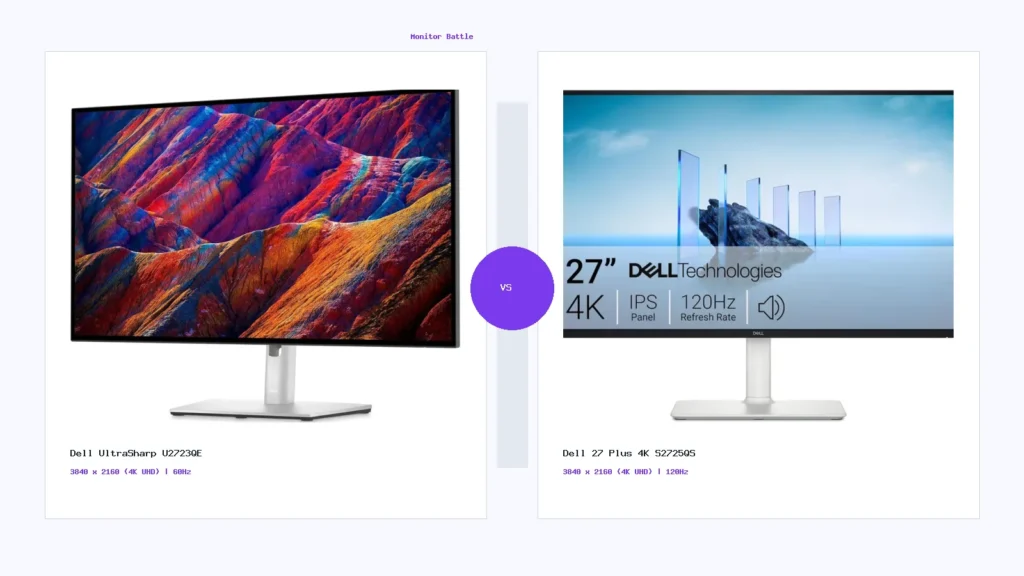
A safe, specification-first comparison of Dell UltraSharp U2723QE and Dell 27 Plus 4K S2725QS for office work, 4K productivity, USB-C workflows, media, and casual gaming.
Dell UltraSharp U2723QE and Dell 27 Plus 4K S2725QS are both 27-inch 4K monitors, but they are designed for different buyer priorities. The UltraSharp U2723QE is the stronger productivity and desk-workflow monitor because it focuses on USB-C, hub features, KVM-style convenience, IPS Black contrast positioning, and professional office use. The Dell 27 Plus 4K S2725QS is a simpler 4K monitor with a higher refresh-rate listing, integrated speakers, and a more general home-office/media direction.
This comparison uses saved specifications and practical buying logic. It does not claim hands-on lab testing. Always verify the exact SKU, current seller page, warranty channel, return policy, included cables, and regional availability before buying.
Quick verdict
Choose Dell UltraSharp U2723QE if your priority is productivity, USB-C workflow, docking-style features, office comfort, creator-adjacent work, and multi-device desk use. Choose Dell 27 Plus 4K S2725QS if you want a simpler 27-inch 4K monitor with a higher refresh-rate listing and built-in speakers for general daily use.
Side-by-side specification summary
| Specification | Dell UltraSharp U2723QE | Dell 27 Plus 4K S2725QS |
|---|---|---|
| Screen size | 27-inch class | 27-inch class |
| Resolution | 3840 x 2160 / 4K UHD | 3840 x 2160 / 4K UHD |
| Panel type | IPS Black | IPS |
| Refresh rate | 60Hz listing | 120Hz listing |
| USB-C | USB-C with high power delivery listing | No USB-C display/charging focus listed |
| KVM / hub direction | Stronger hub and multi-device workflow | Simpler connectivity direction |
| Speakers | No built-in speakers listed | Integrated speakers listed |
| Best-fit buyer | Productivity, office, creator desk, laptop setup | General 4K use, media, home office, casual gaming |
Productivity and office use
The UltraSharp U2723QE is the stronger productivity monitor because its feature set is clearly aimed at laptop desks, workstations, USB-C setups, and users who want fewer cables. USB-C power delivery, hub functionality, DisplayPort output-style workflow, and KVM-like convenience can matter more than refresh rate if the monitor is used for work all day.
The Dell 27 Plus 4K S2725QS remains a useful 4K office monitor, especially for users who simply want sharp text, a clean 27-inch size, and general daily comfort. It is less workflow-heavy than the UltraSharp, so it makes more sense when advanced ports and docking behavior are not required.
Gaming and media use
For casual gaming and smoother general motion, the S2725QS has the better saved refresh-rate signal because it lists 120Hz while the U2723QE is a 60Hz-class monitor. That does not make it an esports monitor, but it can feel smoother for casual gaming, scrolling, and media use. The U2723QE can handle occasional gaming, but it is not the better choice if gaming responsiveness is a priority.
Creator and color workflow
The U2723QE carries a stronger creator-adjacent signal because of its UltraSharp positioning, IPS Black panel type, wide color-coverage claims in saved data, and productivity feature set. Still, buyers doing color-critical professional work should verify calibration requirements, color-space coverage, uniformity expectations, and independent measurements where available.
Ports and desk setup
This is where the UltraSharp model separates itself. USB-C power delivery, hub features, and multi-device practicality are valuable if you use a laptop, switch between machines, or want a cleaner desk. The S2725QS is simpler and may be enough if your setup uses HDMI or DisplayPort and you do not need a docking-style monitor.
Which one should you buy?
- Buy Dell UltraSharp U2723QE for serious office, coding, laptop, USB-C, multi-device, and productivity-heavy workflows.
- Buy Dell 27 Plus 4K S2725QS for a simpler 27-inch 4K monitor with smoother 120Hz-class motion and speakers.
- Do not decide from one price snapshot. Verify live pricing, warranty, seller, and return terms on the retailer page.
Frequently asked questions
Which monitor is better for office work?
Dell UltraSharp U2723QE is the stronger office and productivity choice because of its USB-C, hub, and multi-device workflow direction.
Which is better for casual gaming?
Dell 27 Plus 4K S2725QS has the stronger casual gaming signal because of its higher saved refresh-rate listing.
Are both monitors 4K?
Yes, both are saved as 27-inch 4K UHD monitors, so the difference is more about refresh rate, ports, workflow, panel behavior, and desk use.
Is the UltraSharp worth it?
It can be worth it for laptop users, productivity setups, and buyers who need USB-C and hub features. For simpler use, the S2725QS may be easier to justify.

MonitorSuggest Editorial Team
MonitorSuggest publishes display buying guides, comparison explainers, and monitor research notes using listed specifications, editorial checks, and user-submitted signals where available.