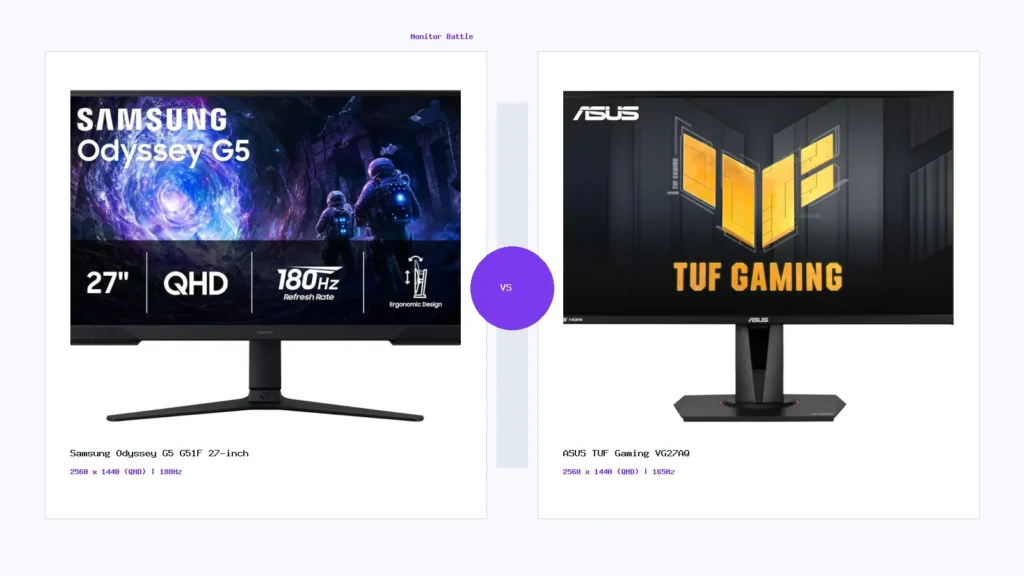
A buyer-first QHD gaming comparison between Samsung Odyssey G5 G51F 27-inch and ASUS TUF Gaming VG27AQ, covering panel type, refresh rate, gaming fit, and mixed-use value.
Samsung Odyssey G5 G51F 27-inch and ASUS TUF Gaming VG27AQ are both QHD gaming monitors aimed at buyers who want a sharper experience than Full HD without jumping to the GPU demands of 4K. They target similar users, but they are not identical choices. The Samsung model leans toward a higher 180Hz refresh listing and VA-style contrast behavior, while the ASUS TUF VG27AQ is built around a QHD IPS gaming profile with 165Hz refresh, ELMB Sync positioning, and broad mixed-use appeal.
This comparison is based on saved specifications and practical use-case logic. It does not claim hands-on lab testing. Before buying either monitor, confirm the exact regional SKU, warranty, seller, return policy, included cables, and current retailer information.
Quick verdict
Choose Samsung Odyssey G5 G51F 27-inch if you want a QHD gaming monitor with a high refresh-rate listing and stronger contrast-style positioning. Choose ASUS TUF Gaming VG27AQ if you prefer an IPS gaming monitor with wider mixed-use comfort, better viewing-angle expectations, and a long-established QHD gaming profile.
Side-by-side specification summary
| Specification | Samsung Odyssey G5 G51F 27-inch | ASUS TUF Gaming VG27AQ |
|---|---|---|
| Screen size | 27-inch class | 27-inch class |
| Resolution | QHD / 2560 x 1440 class | QHD / 2560 x 1440 class |
| Panel type | VA | IPS |
| Refresh rate | 180Hz listing | 165Hz listing |
| Response time | 1ms listing | 1ms listing |
| HDR | HDR10 support | HDR10 support |
| Best-fit buyer | QHD gaming and contrast-focused use | QHD gaming and mixed desktop use |
Gaming performance direction
For gaming, both monitors sit in a strong QHD high-refresh class. QHD remains popular because it is sharper than 1080p but easier to drive than 4K. The Samsung model has the higher saved refresh-rate listing, which can matter for fast shooters and high-frame-rate gaming. The ASUS model still offers a strong 165Hz class and may appeal to buyers who want IPS behavior for mixed gaming and desktop work.
Panel type difference
The biggest practical difference is panel behavior. A VA panel typically prioritizes contrast, which can make dark scenes and media feel deeper, though motion behavior depends on the exact panel and overdrive tuning. IPS usually prioritizes viewing angles and consistent desktop color behavior, which can make it easier to recommend for mixed work, browsing, gaming, and content use.
Office and study use
Both are 27-inch QHD monitors, which is a comfortable class for documents, browser tabs, spreadsheets, and casual productivity. The ASUS TUF VG27AQ gets a stronger mixed-use signal because IPS panels are often easier for general desktop consistency. The Samsung can still work well for study and daily use if the buyer prefers its contrast character and confirms ergonomics and port needs.
Creator and media use
Neither model should be treated as a professional creator monitor unless your exact workflow and calibration needs are modest. For casual editing, YouTube work, web visuals, and gaming content, both can be useful. For color-critical work, compare manufacturer color claims, calibration options, and credible review measurements before choosing.
Which one should you buy?
- Buy Samsung Odyssey G5 G51F if you want the higher saved refresh-rate listing and prefer VA-style contrast.
- Buy ASUS TUF Gaming VG27AQ if you want a safer mixed-use IPS QHD gaming monitor.
- Avoid choosing only by discount. Verify warranty, regional SKU, ports, and return terms first.
Frequently asked questions
Are both monitors good for gaming?
Yes, both are QHD high-refresh gaming monitors. The better choice depends on whether you prefer Samsung’s higher refresh listing or ASUS’s IPS mixed-use profile.
Is QHD better than Full HD for 27-inch?
Usually yes. QHD gives noticeably sharper desktop and gaming clarity at 27 inches.
Which is better for office work?
The ASUS TUF VG27AQ has the stronger mixed-use office signal because of its IPS panel profile, but both can handle general work.
Should I choose by price?
Price should be verified on the retailer page. MonitorSuggest avoids static price claims until reliable live pricing is connected.

MonitorSuggest Editorial Team
MonitorSuggest publishes display buying guides, comparison explainers, and monitor research notes using listed specifications, editorial checks, and user-submitted signals where available.